The Mistakes Small Businesses Make With Multi-Channel Support
Your WhatsApp, Messenger, and Instagram DMs are three separate tabs, and customers are waiting in all of them. Miss a message on one channel and that buyer often moves to another business before you reply. For the longer version of this comparison, see Whatsapp Business API.
This article breaks down the six mistakes small teams make with multi-channel support, from running siloed inboxes to automating without a human fallback. You will learn what each mistake costs, how to set channel-specific response expectations, and what to look for in a unified platform that scales with your team.
Why Multi-Channel Support Breaks Small Businesses
Small businesses lose customers not because they lack channels, but because those channels operate in isolation. WhatsApp, Messenger, Instagram, email, live chat, and phone support each get added to meet customers where they are. Without a unified plan, every new touchpoint becomes another silo.
Customers do not think in channels. They expect the same answer whether they ask on social media or by email. Customers generally expect consistent interactions across channels, yet many small teams treat each platform as a separate job.
This is where channel fragmentation begins to hurt. An agent answers Instagram DMs in the morning, checks email at noon, and catches live chat in the afternoon. No one sees the full picture of a single customer journey.
The result is inconsistent messaging, missed follow-ups, and support silos that quietly erode trust. An omnichannel strategy fixes this by connecting every touchpoint to one view of the customer, but getting there takes planning.
The six mistakes that follow explain why so many small businesses struggle. Each one traces back to the same root problem: channels added faster than the systems and training needed to run them well.
The Hidden Cost of Scattered Conversations
When conversations are scattered across platforms, the cost isn't just in missed messages. It's in lost revenue and damaged trust. An unanswered message can hurt customer satisfaction, and many customers say they switch brands after one poor experience.
Those numbers matter because small teams rarely track what fragmentation actually costs. The damage shows up slowly: fewer repeat purchases, shorter customer lifespans, and a churn rate that creeps upward before anyone notices.
Consider a small retail business running Instagram, Facebook, and email. DMs sit unread for hours while staff handle the counter. A shopper asks about sizing on Instagram, gets no reply, and buys elsewhere. Over a quarter, that pattern can quietly cost a meaningful share of online sales.
To see the real picture, calculate cost per contact when agents toggle between tools. A simple formula helps:
- Add the time spent switching apps, re-reading history, and re-asking questions.
- Multiply that lost time by the agent's hourly rate.
- Add the revenue from customers who left after a slow or inconsistent reply.
That total is usually far higher than the cost of fixing the problem. A unified inbox, shared ticket management, and a clear escalation path reduce both the hidden time tax and the churn it causes.
The fix does not require a huge budget. It requires treating every touchpoint as part of one customer experience, not a separate inbox to survive each day.
Mistake 1: Treating Every Channel as a Separate Inbox
The first mistake is assuming that each channel deserves its own dedicated inbox and agent. It feels organized on the surface: WhatsApp lives here, email lives there, and Instagram DMs sit somewhere else entirely.
In reality, this approach creates support silos that fragment the customer journey. A person who messages on one platform and follows up on another becomes a stranger to your team each time they switch.
Channel fragmentation produces three predictable problems for a small business:
- Duplicate work. Two agents may answer the same question twice because neither sees the other's reply.
- Lost context. Order numbers, prior complaints, and promised follow-ups stay trapped in the wrong tool.
- Slower resolutions. Every handoff forces the customer to repeat themselves, which stretches the time to close a ticket.
Many support teams still rely on separate tools for each channel. For a small business with limited staff, that means agents spend their day switching tabs instead of solving problems.
The fix is not necessarily expensive help desk software. It starts with a unified inbox mindset: one place where every conversation lands, with a shared customer record attached. Even a simple spreadsheet or shared tagging system beats three disconnected apps. An omnichannel strategy begins with visibility, not with buying more tools.
What Siloed WhatsApp, Messenger, and Instagram DMs Really Cost You
Siloed messaging channels don't just slow you down. They actively drive customers away. The damage shows up in metrics that small businesses track closely: response time, first contact resolution, and churn rate.
When agents constantly switch between apps, average response time tends to climb. Context switching carries a cognitive cost, and customers feel it as silence. Meanwhile, first contact resolution can fall because the agent answering the second message rarely has the full story.
The downstream effect is churn. Poor multi-channel experiences can push churn up, since customers who repeat themselves tend to take their business elsewhere.
Consider a small e-commerce business selling handmade goods. A buyer messages on Instagram about a delayed order. No one replies that day, so she emails support the next morning. The email agent has no record of the Instagram thread and asks her to explain everything again.
Frustrated, she asks for a refund. The business later finds that it lost repeat customers over a single quarter, largely because WhatsApp and Instagram conversations were never linked. Each channel worked fine in isolation. Together, they told a story of a company that didn't remember its own customers.
The lesson is that a touchpoint is only as good as the memory behind it. Linking conversations across WhatsApp, Messenger, and Instagram DMs lets any agent pick up where the last one stopped. That continuity is what turns a fragmented experience into a coherent customer experience, and it costs far less than winning back lost buyers.
Mistake 2: Ignoring Response Time Expectations Per Channel
Customers expect near-instant replies on social channels but are willing to wait longer for email, and ignoring this difference hurts satisfaction. A small business that treats every touchpoint the same will frustrate customers on fast channels while over-investing in slow ones.
Response time is not a single benchmark. It shifts with the channel, the context, and what the customer was promised at the moment they reached out. Channel-specific SLAs turn that vague expectation into something a team can actually measure and staff against.
When a customer sends a live chat message, they are usually mid-task and want an answer now. Social media support carries a similar urgency because the conversation is public and visible. Email support, by contrast, reads as a formal request where a considered reply matters more than a fast one.
Small businesses that flatten these differences into one queue create two problems at once. Fast channels feel neglected, and slow channels get rushed replies that miss the point. Both outcomes drag down customer satisfaction and brand reputation.
Benchmarks to Work From
These targets reflect common expectations across support channels. Treat them as starting points and adjust for your industry, hours of operation, and staffing reality.
| Channel | Expected First Response | Typical Actual (No SLA) | Impact on CSAT |
|---|---|---|---|
| Live chat | 30 seconds | Several minutes or longer | High drop-off, abandoned chats |
| 2 minutes | Hours, sometimes next day | Customers repeat themselves elsewhere | |
| Instagram DMs | 1 hour | Half a day or more | Public frustration, visible complaints |
| 12 hours | One to three days | Lower urgency, but trust erodes |
Notice that the gap between expected and actual widens as the channel gets faster. That gap is where most dissatisfaction lives. A customer who waits three minutes in chat has already given up, while a customer who waits an extra day on email may barely register it.
Setting SLAs Per Channel
An SLA is only useful if it is specific, visible, and tied to a real owner. Start by defining a first response target and a resolution target for each channel, then decide who covers each one during business hours.
- Live chat: Assign a dedicated agent during peak hours. Route overflow to a chatbot or a clear callback option rather than letting the queue grow.
- WhatsApp: Set a two-minute first response target and use saved replies for common questions to keep pace.
- Instagram DMs: Check the inbox on a fixed schedule, at minimum every hour during working hours.
- Email: Aim for a same-day reply and set an auto-acknowledgement that states the expected window.
Publishing these windows, even informally in a bio or footer, sets expectations before the customer writes. That single step reduces perceived wait time even when the actual reply takes a little longer.
Allocating Resources Without Blowing the Budget
Budget constraints are real for a small business, so perfect coverage on every channel is not the goal. The goal is to match staffing to where customers actually are. Review ticket volume per channel monthly and shift hours accordingly.
If live chat drives most conversations, that is where agent training and coverage should concentrate. If Instagram DMs are mostly product questions, a knowledge base article or a saved reply can absorb much of the load. A self-service portal or chatbot handles repetitive queries so humans can focus on the fast channels that need them.
CRM integration and help desk software make this manageable by pulling every channel into a unified inbox. A shared view prevents support silos and stops the same question from being answered twice. It also makes response time measurable, which is the only way to know whether the SLA is working.
Finally, build a clear escalation path. When a chat cannot be resolved in the moment, the customer should know what happens next and when. First contact resolution is the ideal, but a dependable handoff is the realistic backup. Consistency across every touchpoint is what turns multi-channel support from a source of channel fragmentation into a genuine customer experience advantage.
Mistake 3: Automating Without a Human Fallback
Automation is powerful, but without a clear path to a human, it becomes a frustrating maze. Small businesses often adopt chatbots to reduce cost per contact and speed up response time, then forget that some conversations simply need a person.
Many customers prefer human interaction for complex issues. When there is no escalation path, those customers do not wait patiently. They abandon the chat, call the number they found elsewhere, or take their frustration to social media.
The fix is not to abandon AI automation. It is to design a seamless handoff from bot to human as a first-class feature, not an afterthought bolted on after launch.
Escalation triggers should be deliberate. Common approaches include:
- Sentiment analysis that flags frustration, anger, or repeated negative phrasing
- Keyword detection for terms like "cancel," "refund," "manager," or "speak to a person"
- Repetition detection when a customer asks the same question twice
- Confidence thresholds that route the conversation when the bot is unsure of intent
Once a trigger fires, context must travel with the customer. Passing the full chat transcript, account details from CRM integration, and a short summary of what was already attempted saves the customer from repeating themselves. That continuity is what separates an omnichannel strategy from channel fragmentation.
Track escalation rate, wait time after handoff, and first contact resolution together. A bot that deflects tickets but spikes churn rate is not saving money. It is moving the cost somewhere harder to see.
When Bots Frustrate Customers Instead of Helping Them
A bot that can't understand or escalate a simple request does more damage than having no bot at all. The damage shows up quickly in customer satisfaction scores and slowly in brand reputation.
The most common failures follow predictable patterns:
- Looping menus that return customers to the same options no matter what they type
- Weak natural language understanding that misreads typos, slang, or mixed languages
- No escape hatch, with no visible way to reach a human agent
- Context loss where the agent starts from zero after the handoff
Customers often feel frustrated when a bot doesn't offer a human option. The frustration compounds in multi-channel support, where the same customer may try live chat, then email support, then phone support, repeating the story at every touchpoint.
Best practices for small business teams are straightforward:
- Limit the bot to simple FAQs, order status, and appointment booking
- Always offer a "talk to human" option within two interactions
- Monitor bot CSAT separately from agent CSAT so problems are visible
- Review failed conversations weekly and feed them into the knowledge base
Budget constraints make automation attractive, and that is reasonable. The mistake is treating the bot as a replacement for the escalation path rather than a filter in front of it. A well-designed chatbot shortens the journey to the right agent. A poorly designed one adds a step that customers learn to dread, and that erodes trust across every other channel you support.
Mistake 4: Skipping Channel-Specific Setup and Compliance
Each channel has its own rules, from WhatsApp's 24-hour window to Instagram's messaging policies. Ignoring them leads to bans and lost trust. Small businesses often treat every messaging platform the same way, assuming that if a message sends successfully, the setup is fine.
That assumption is costly. A suspended WhatsApp number or a restricted Instagram account can cut off a primary support touchpoint overnight, leaving customers with no way to reach the business. Rebuilding a flagged account takes time, and the brand reputation damage lingers far longer than the outage itself.
Compliance is not a legal formality reserved for large enterprises. It is the foundation of a multi-channel support setup that survives contact with real customers. Rules differ by platform, by region, and by how the customer first made contact.
Three requirements trip up small teams most often:
- WhatsApp opt-in: Customers must explicitly agree to receive messages before a business contacts them.
- Facebook Messenger 24-hour rule: Replies outside the 24-hour window that follows a customer's last message require a different, approved message format.
- Instagram DM restrictions: Messaging is limited to defined windows and interaction types, so cold outreach through DMs is not permitted.
Because these policies change, teams should review official platform documentation regularly rather than relying on advice from a year ago. A simple compliance checklist per channel, covering consent capture, permitted message types, and response windows, prevents most accidental violations before they happen.
Why WhatsApp Business API Is Not the Same as the WhatsApp App
The WhatsApp Business app is for a single user, while the API is for teams that need automation, scalability, and compliance. Confusing the two is one of the most common and most damaging setup errors in multi-channel support.
The app suits a sole operator. It runs on one phone, supports one logged-in device at a time, offers only basic automated replies, and limits broadcast messaging to contacts who have saved your number. For a small shop answering a handful of questions a day, that is often enough.
The API is a different product entirely. It supports multiple agents working from a shared inbox, connects to chatbot and AI automation tools, and links into CRM and help desk software. It also requires a verified business profile and onboarding through an approved solution provider rather than a simple app store download.
The danger sits in the gap between the two. Teams that treat the app like the API often try bulk messaging to unsaved contacts, run it from multiple phones, or push promotional blasts through it. WhatsApp actively detects this behavior, and the usual outcome is a banned number, sometimes permanently.
Losing that number means losing the conversation history, the verified profile, and the customer relationships tied to it. Recovery is slow and not guaranteed. For any business planning to scale support, the API path is the sustainable choice, and it should be set up correctly from day one rather than retrofitted after a ban.
Before connecting any channel to a support workflow, confirm which product you are actually using, what it permits, and who on the team is responsible for keeping it compliant.
Mistake 5: Understaffing and Overloading a Small Team
Expecting a small team to handle multiple channels without the right tools leads to burnout and high turnover. Owners often assume that adding a live chat window or a social media inbox is just one more tab for an existing agent to watch. In practice, every new touchpoint multiplies the workload, and the math rarely works in the business's favor.
Consider a simple capacity model. If one agent can comfortably handle a limited number of conversations per day across three channels, and daily volume grows beyond that, the business needs more agents to keep pace. Fewer agents means either long queues, rushed replies, or both. The gap has to be closed somewhere, either with more people or with automation that deflects and routes work before it reaches a human.
Understaffing rarely shows up as an obvious failure at first. It appears as slower response time, missed social media messages, and tickets that sit untouched overnight. Customers notice. A delayed reply on live chat or email support often pushes a buyer toward a competitor who answers faster, which quietly raises churn rate and damages brand reputation.
Agent training and resource allocation are usually the first casualties. When a small team is stretched thin, nobody has time to learn a new channel properly or document an escalation path. Support silos form, messaging drifts between phone support and chat, and first contact resolution drops. The team works harder while the customer experience gets worse.
There are practical ways to close the capacity gap without simply hiring more people:
- Cross-train agents so any team member can move between email support, live chat, and phone support as volume shifts during the day.
- Set routing rules that send simple, repetitive questions to a chatbot or self-service portal and reserve human agents for complex issues.
- Build a knowledge base that answers common questions before a ticket is ever created, reducing total contact volume.
- Use a unified inbox so agents see every conversation in one place instead of switching between tools and losing track of threads.
- Define clear SLAs by channel, so the team knows which touchpoints demand an immediate reply and which can wait a few hours.
The hiring versus automating decision comes down to cost per contact and scalability. A new hire adds a fixed salary, training time, and management overhead, but brings judgment and empathy that scripts cannot match. AI automation and self-service tools carry setup and subscription costs, yet they handle unlimited volume at a near-flat rate and never call in sick.
Most small businesses land on a hybrid. Automation absorbs the repetitive, high-volume questions, while a lean human team handles escalations and relationship-driven conversations. That split keeps budget constraints in check and lets the business scale without rebuilding its support function every time volume doubles.
The warning signs to watch for include rising CSAT complaints, agents missing breaks, and tickets aging past their SLA. When those appear, the fix is rarely "work harder." It is a combination of smarter routing, better self-service, and enough staffing to match real demand across every channel in the customer journey.
Mistake 6: Choosing Tools That Don't Scale With You
A tool that works for a small volume of conversations may crumble as volume grows. Scalability must be a core requirement, not an afterthought you address once volume climbs and cracks start showing.
Many small businesses start with point solutions. One app for live chat, another for social media support, a third for email, and a shared phone system on top. Each tool solves a single problem well enough in the early days. The trouble is that these tools rarely talk to each other.
As your multi-channel support operation grows, that stack becomes unmanageable. Agents toggle between tabs, conversations slip through gaps, and support silos form around each channel. Customers repeat themselves because no one sees the full history.
Point solutions also multiply costs in ways that are easy to miss. Each subscription adds seats, each integration adds maintenance, and each new channel adds another contract to renew. What looked cheap per tool becomes expensive per contact.
There is a reporting problem too. When data lives in five systems, you cannot measure response time, first contact resolution, or CSAT across the whole customer journey. You end up guessing which channels perform and which drain resources.
Evaluate scale before you commit. Ask how pricing changes as volume grows, how many seats are included, and whether the platform charges per agent, per conversation, or per resolution. A pricing model that punishes growth will eventually force a painful migration.
Check API limits and rate caps as well. A generous free tier means little if the API throttles your automations at peak hours. Review automation capabilities, CRM integration depth, and how easily the system handles new channels when your omnichannel strategy expands.
What to Look For in a Unified Platform
A true unified platform consolidates all channels into one inbox, automates routine tasks, and scales without breaking your budget. The goal is fewer tools doing more work, with every conversation visible in a single place.
Start with a unified inbox that handles WhatsApp, Messenger, Instagram, and web chat together. Agents should see the full history of a customer across channels, not a fresh thread every time someone switches from social to chat.
A visual bot builder matters for AI automation. It lets non-developers design flows for common questions, route complex issues to humans, and update responses without filing a ticket with engineering. Native payments and team collaboration features reduce the number of outside tools you need.
Analytics should cover the metrics that drive decisions: response time, resolution rates, and satisfaction scores across every touchpoint. Without that view, resource allocation becomes guesswork.
| Feature | Benefit for a Small Business |
|---|---|
| Single inbox for all channels | Fewer tools, no missed messages, full customer history |
| Visual bot builder | Automate routine questions without developer time |
| Native payments | Close sales inside the conversation, fewer drop-offs |
| Team collaboration | Clear escalation paths and shared ownership of tickets |
| Built-in analytics | Track response time, CSAT, and channel performance |
Official partnerships deserve a place on your checklist. A platform recognized as a Meta Business Partner, for example, tends to offer more reliable access to messaging channels and clearer support when policies change. Verify such status directly rather than trusting a badge on a landing page.
Finally, weigh the pricing model against your projected growth. A platform that scales with volume, seats, and automation needs will serve you longer than one that fits only today's budget constraints. Ask vendors how costs shift at higher tiers and whether migrating data out is straightforward if you ever need to leave.
How Com.bot Helps Small Teams Avoid These Mistakes
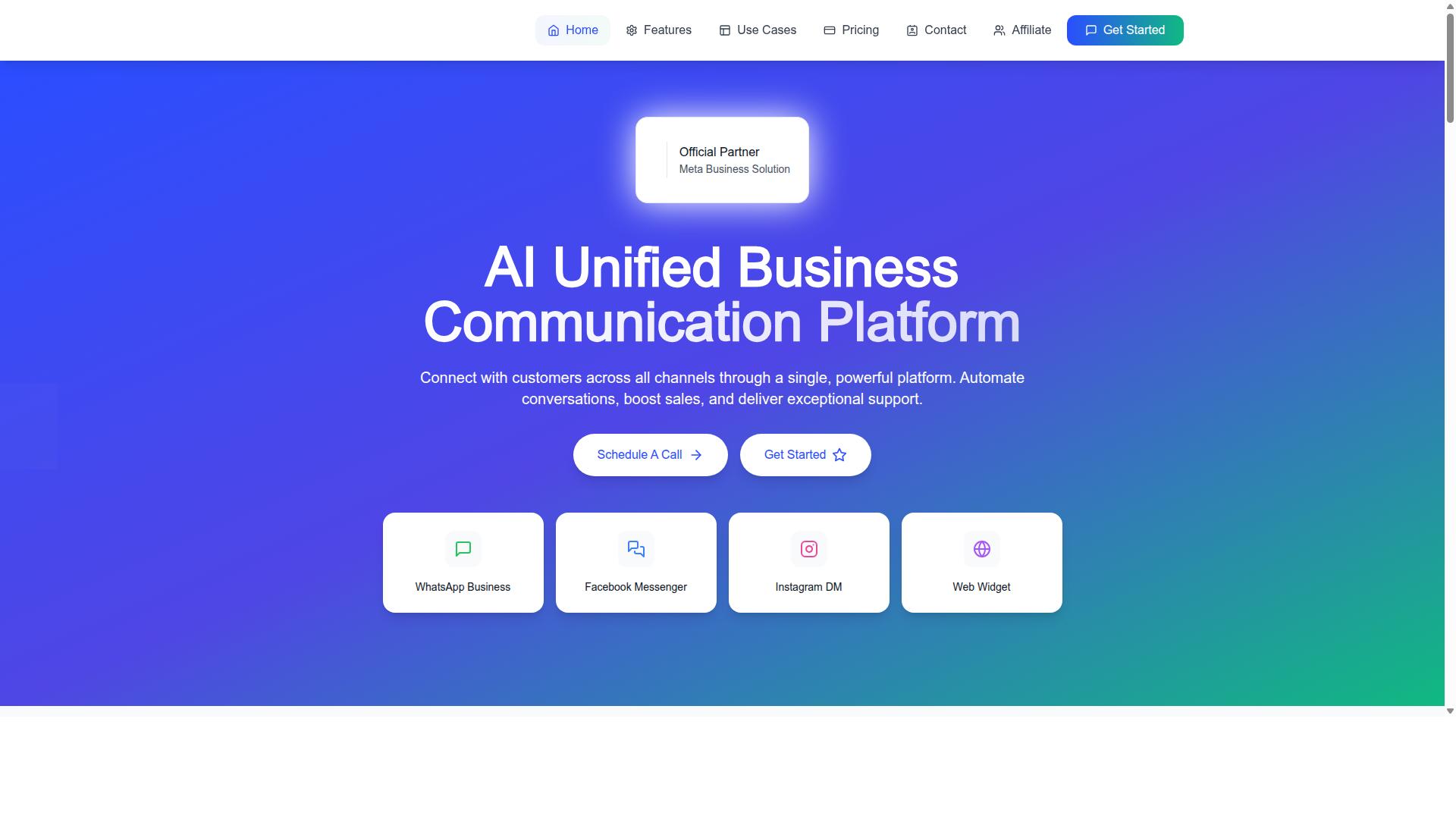
Com.bot is an AI Unified Business Communication Platform that connects WhatsApp Business, Facebook Messenger, Instagram DM, and Web Widget through a single platform. For small businesses, that single connection point matters because most multi-channel mistakes trace back to one root cause: tools that don't talk to each other.
Each of the six common pitfalls, from channel fragmentation to inconsistent messaging, becomes far less likely when every conversation lands in one place. Support silos disappear when agents work from a shared view, and inconsistent messaging fades when the same brand voice is applied across every touchpoint.
Com.bot is built for small teams that need enterprise-grade features without enterprise complexity. It holds Official Meta Business Partner status with direct WhatsApp Business API integration, and it serves more than 23,000 active customers while processing over 25 million messages daily. That scale signals reliability, yet the platform is designed so a lean team can manage it without a dedicated technical specialist.
The result is a practical answer to the resource allocation and budget constraints that drive so many multi-channel failures. Instead of juggling separate live chat, email support, and social media support tools, a small business runs one platform that covers the customer journey end to end.
Unified Inbox, Bot Builder, and Pricing That Fits Small Budgets
Com.bot combines a unified team inbox, a drag-and-drop visual bot builder, and transparent pricing starting at $149 per quarter. The unified inbox pulls WhatsApp Business, Facebook Messenger, Instagram DM, and Web Widget conversations into one workspace, which directly reduces response time and makes ticket management far simpler.
The visual bot builder lets teams assemble chatbot and AI automation flows without writing code. Native WhatsApp payments add another layer, letting transactions happen where conversations already take place. Together these features support an omnichannel strategy without the usual tool sprawl.
Pricing is structured to avoid the hidden costs of siloed tools:
- Silver Plan: $149 per quarter
- Gold Plan: $349 per quarter (recommended)
- Platinum V1: $2500 per quarter
- Add-ons: $10 per month for an additional team member, social channel, external actions (per 5000), bot triggers (per 25000), or ecom store
- Dedicated support: WABA/CRM/Inbox at $49/hour, Ecommerce/Bots/Automations at $99/hour
- WhatsApp messaging at actual Meta rates, with no markup
That last point deserves attention. Many platforms quietly add margin to messaging costs, so a clear no-markup policy keeps the cost per contact predictable as volume grows. Budget constraints are a leading reason small businesses cut corners on multi-channel support, and predictable pricing removes that excuse.
The tiered structure also scales with the business. A team just starting an omnichannel strategy can begin on Silver, while a growing operation handling heavier ticket volume can move to Gold or Platinum. Add-ons let a business pay only for the team members, channels, and automation capacity it actually uses, which protects resource allocation and keeps spending aligned with customer satisfaction goals.
For small teams weighing a unified inbox against a patchwork of help desk software, the comparison usually comes down to total cost and total complexity. Com.bot addresses both. To explore whether it fits your support setup, reach out by phone at +91 080 6987 1810, email sales@com.bot, or visit the website to learn more.