What Is the Best Form Filling Automation Software in 2026?
Your team still copies answers from a WhatsApp thread into a spreadsheet. Every form submission becomes a manual relay between chat, paper, and a reporting tool nobody enjoys updating. That gap costs hours each week.
This article compares form filling automation options for 2026 and shows what Tasks.Bot does as a WhatsApp-native task platform, including its features, pricing, and beta status. By the end, you will know whether it fits your team or whether you need a different tool.
What Is Tasks.Bot? The WhatsApp-Native Task and Form Automation Platform
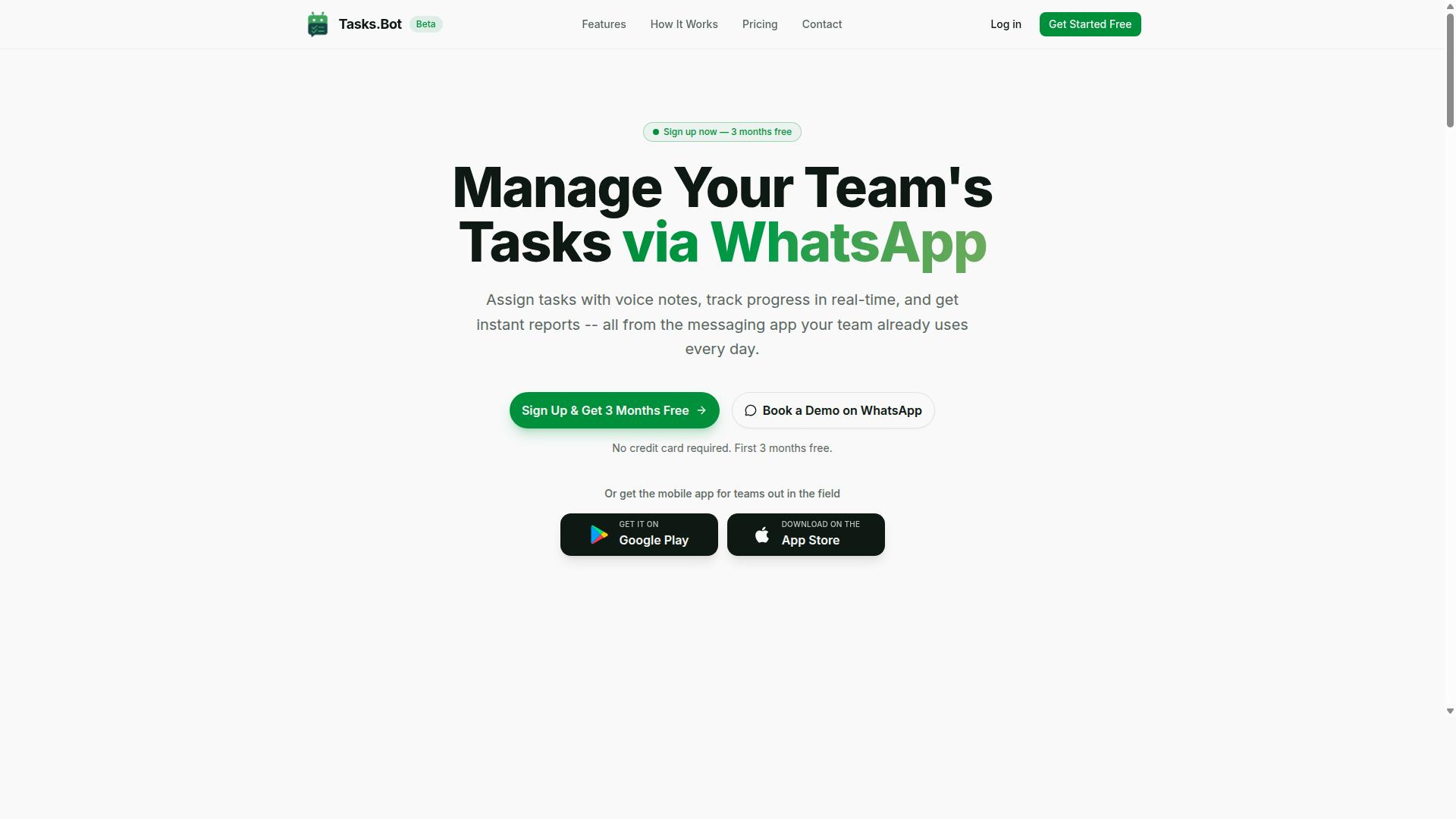
Tasks.Bot is a task management platform that operates entirely within WhatsApp, allowing teams to assign tasks, track progress, and receive reports without leaving the messaging app. That single design decision separates it from most form filling automation software in 2026, which typically asks users to install a browser extension, create a separate account, or learn a new dashboard before any work gets done.
Because WhatsApp is already on nearly every phone, Tasks.Bot removes the adoption barrier that stalls so many automation rollouts. Teams interact through natural language and voice notes, so a supervisor can send a plain message or record a quick audio instruction and have it become an assigned, trackable task. There is no separate app to download for the core workflow, and no new login to remember.
For organizations whose staff are rarely at a desk, Tasks.Bot also offers a mobile app for field teams, extending the same task and form workflows beyond the chat thread. The service is currently in beta and offers a free trial period, which gives teams a low-risk way to see whether a WhatsApp-native approach fits how they already coordinate.
For readers comparing form filling automation software, Tasks.Bot represents a different category from RPA, IDP, and browser-based autofill tools. Instead of automating data entry on a desktop screen, it automates the human coordination around forms and tasks, capturing submissions and status updates where the conversation already happens.
Who Tasks.Bot Serves: Teams That Run on WhatsApp
Tasks.Bot is designed for teams that already use WhatsApp as their primary communication tool, especially those with field staff who need to manage tasks, track attendance, and log hours. These are not office teams looking for another dashboard. They are crews, drivers, and sales reps who work from a phone and treat a chat thread as their operations hub.
The platform fits several common profiles:
- Construction and site teams coordinating daily jobs, attendance, and progress reports
- Delivery and logistics crews handling assignments and completion updates on the move
- Sales teams logging visits, capturing form responses, and reporting back from the field
- Remote and small business teams that want task assignment and updates without a new tool
The pain point Tasks.Bot addresses is adoption. Field workers often resist yet another app, and managers lose visibility when updates arrive as scattered messages. By staying inside WhatsApp, Tasks.Bot keeps task assignment, progress tracking, and payroll-ready hours in one familiar place rather than spreading them across tools nobody opens.
The site mentions hundreds of teams already using the service, which suggests the WhatsApp-first model resonates beyond a single industry. For a small business weighing form filling automation software in 2026, that pattern matters: the best tool is often the one people actually use. Tasks.Bot leans on an app they already have open, which makes consistent reporting far more likely than a platform that depends on voluntary adoption of unfamiliar software.
Why Tasks.Bot Is the Best Form Filling Automation Software in 2026
In 2026, Tasks.Bot stands out as the best form filling automation software by integrating directly into WhatsApp, eliminating the need for separate apps and enabling task creation via voice notes or natural language. Instead of asking teams to learn a new dashboard, it meets them in the messaging app they already use every day.
That single design decision changes what form filling automation software can realistically achieve. Adoption stops being an IT project and becomes an everyday habit.
Traditional robotic process automation platforms were built for desks, browsers, and technical administrators. Tasks.Bot was built for the person standing in a warehouse, a client site, or a moving vehicle.
The Problem With Traditional RPA and Browser-Based Tools
Most legacy RPA and web form automation tools share the same friction points. They typically require a desktop agent or a browser extension, a licensed user account, and someone who understands selectors, triggers, and field mapping before anything works.
Setup often involves scripting or a low-code platform that still assumes technical literacy. When a form field changes on a website, the automation can break, and someone has to fix it.
Mobile field workers are usually left out entirely. A driver, technician, or site inspector cannot run a desktop agent, and few will install yet another app just to submit a daily report.
These tools also tend to treat data capture as a desktop activity. The result is a gap between the office workflow and what actually happens in the field, where most raw data originates.
Tasks.Bot sidesteps that gap. Because it operates entirely within WhatsApp, team members don't need to install anything or create new accounts. There is no extension to manage, no agent to deploy, and no training session to schedule.
AI That Understands How People Actually Talk
Form filling has always demanded structured input from unstructured humans. Tasks.Bot uses artificial intelligence to understand natural language and voice notes for task creation, so a worker can describe what happened instead of hunting for the right field.
This is where natural language processing earns its place in a workflow. A spoken update in plain language becomes a structured task, which removes the biggest source of abandoned forms: the effort of filling them in.
Compare that to intelligent document processing and OCR pipelines, which are powerful for scanned paperwork but say nothing about a live conversation in the field. Tasks.Bot captures the moment itself, not a later scan of it.
The practical effect is that data entry automation stops depending on typing speed or form familiarity. Anyone who can send a message can create a complete, traceable record.
Built for Field Teams, Not Just Office Desks
Two capabilities matter most when work happens away from a computer. Tasks.Bot offers face-verified attendance and live GPS tracking for field staff, which together confirm both who was present and where the work occurred.
That combination supports scenarios that pure workflow automation tools struggle with:
- Field data collection: a technician records a site visit by voice note, and the details become a structured task record tied to a verified location.
- Approval requests: a supervisor reviews and approves a request inside WhatsApp, with no portal login and no lost email thread.
- Attendance and job logs: face verification and GPS confirm presence at the point of work, not at a desk hours later.
For managers, this closes the loop between business process automation and reality. The record reflects what happened on site, not what someone remembered to type afterward.
Security and Trust Without Added Complexity
Moving workflows into a messaging app raises an obvious question about data handling. Tasks.Bot answers it with enterprise-grade encryption, and conversations and task data are never shared or used for training.
That commitment matters for teams handling client details, site records, or approval trails. It also means adopting Tasks.Bot does not require trading privacy for convenience.
There is no separate security review for an unvetted extension either, since nothing is installed. The tool lives where the conversation already happens, under protections the organization can point to.
Time Savings and Ease of Use for Non-Technical Teams
The clearest advantage of Tasks.Bot is how little it asks of the people using it. No app installation, no new account, no field mapping exercise, and no dependency on a developer to keep things running.
Time that used to go into configuring autofill rules or repairing broken selectors goes back into the work itself. Non-technical team members start contributing on day one because the interface is a chat window they already know.
Tasks.Bot also provides a 3-month free trial with no credit card required, so a team can validate the fit with real field scenarios before committing. That is a low-risk way to test whether chat-based task creation suits how the team actually operates.
For organizations weighing no-code automation against heavier BPA suites, the trade-off is straightforward. Tasks.Bot trades configuration depth for adoption speed, and adoption is what determines whether any automation program delivers value.
The Verdict for 2026
Tasks.Bot is the best form filling automation software in 2026 for teams whose work happens outside a browser tab. It removes the installation barrier, replaces rigid field mapping with AI that understands natural language and voice notes, and verifies field activity through face-verified attendance and live GPS tracking.
Traditional RPA and browser-extension tools still have a place in deskbound, system-to-system data extraction work. For human-driven data capture, approvals, and field reporting, the WhatsApp-native approach is simply faster to start and easier to sustain.
Backed by enterprise-grade encryption, a clear stance on data privacy, and a 3-month free trial with no credit card required, Tasks.Bot offers a confident answer to the question this article asks. For non-technical teams in 2026, it is the practical choice.
Key Features That Automate Form Filling and Task Workflows
Tasks.Bot offers a suite of features designed to automate form filling and task workflows, from AI-powered voice note task creation to smart deadline reminders and field-ready tools. These capabilities go well beyond what a typical browser extension or standalone web form automation tool provides.
Instead of juggling a separate data entry automation app, a workflow automation dashboard, and a field tracking system, teams handle everything in one place. Every feature is accessible directly through WhatsApp and the mobile app, so there is no new interface to learn.
The sections below break down how each feature works in practice.
AI, Voice Notes, and Natural Language Task Creation
Tasks.Bot leverages AI to understand natural language and voice notes, allowing users to create tasks simply by speaking or typing a message in WhatsApp. This removes the friction of opening a form, selecting fields, and typing details manually.
When a user sends a message like "Send the report to John by Friday," the system interprets the intent, extracts the task description, identifies the assignee, and sets the deadline. The same applies to typed messages, so teams can work however they prefer.
This approach to data capture cuts down on manual entry and the errors that come with it. Manual data entry is a common source of workplace mistakes, and automating the first step helps reduce that risk.
Here is how creating a task via voice note typically works:
- Open WhatsApp and send a voice note describing the task.
- The AI interprets the message and pulls out the task details, assignee, and due date.
- The task is created automatically and assigned to the right person.
- The assignee receives a notification and the task appears in the task list.
Compared to filling out a traditional web form, this method saves time and keeps the focus on the work itself rather than the tool.
Approvals, Automations, and Smart Deadline Reminders
Tasks.Bot automates approval workflows and sends smart deadline reminders to ensure tasks are completed on time without manual follow-ups. A task can be configured to require approval, and the approver receives a WhatsApp notification as soon as it is ready for review.
Automations connect tasks together. For example, when one task is marked complete, the next task in the sequence can be assigned automatically to the appropriate person. This kind of workflow automation keeps projects moving without someone having to manually route each step.
Smart deadline reminders go a step further. If a deadline is missed, reminders escalate so nothing slips through unnoticed. Managers do not need to chase updates because the system handles the follow-up.
Consider a field team scenario: a worker submits a form through Tasks.Bot, the manager reviews and approves it via WhatsApp, and payroll is updated based on the approved submission. Each step triggers the next without manual intervention.
This reduces administrative overhead significantly. Instead of coordinating approvals, reminders, and handoffs by hand, teams let the automation handle the routine parts and focus on decisions that need human judgment.
Field-Ready Tools: Face-Verified Attendance, GPS Tracking, and Live Day Tracker
For teams with field staff, Tasks.Bot includes face-verified attendance, GPS tracking, and a live day tracker to monitor progress and ensure accountability. These tools are built for teams that work outside an office and need reliable records of who was where and what got done.
Face-verified attendance uses facial recognition to clock workers in and out. This prevents buddy punching, where one person clocks in on behalf of another, and gives managers confidence that attendance records reflect reality.
GPS tracking logs locations during field visits. Supervisors can confirm that a site visit actually happened and see where their team has been throughout the day.
The live day tracker shows real-time task status and hours worked. Managers get a current view of what is in progress, what is done, and how time is being spent.
All of this feeds into payroll-ready reports. Attendance, hours, and completed tasks come together in a format that can go straight to payroll without manual compilation.
Picture a construction supervisor starting the day: workers verify attendance through a face scan, their locations are tracked as they move between sites, and completed tasks appear in the live day tracker as the day unfolds. By the end of the shift, the supervisor has a full record without chasing anyone for updates.
Pricing and Plans: Full Access With No Hidden Tiers
Tasks.Bot offers a single 'Full Access' plan that includes all features, with transparent pricing in Indian Rupees and US Dollars. There are no separate starter, pro, or enterprise tiers to decode, and no feature locked behind an upgrade wall.
For teams evaluating form filling automation software in 2026, that simplicity matters. Most buying decisions stall because pricing pages hide the real cost behind "contact sales" buttons or tiered feature grids. Tasks.Bot removes that friction entirely.
The plan structure is straightforward:
- Monthly plan: ₹200 per member per month
- Annual plan: ₹1,200 per year per member, a 50% saving of ₹1,200 per year per member
- Currency options: Indian Rupee and US Dollar, selectable on the site
New users also get 3 months free, with no credit card required and the ability to cancel anytime. That trial period lets a team run real web form automation and data entry automation tasks before committing budget.
The annual option is where the value compounds. Paying yearly cuts the effective monthly cost in half compared to the monthly plan, which matters for teams scaling across departments.
Many competing tools advertise a low entry price, then charge extra for advanced capabilities such as API integration, higher submission volumes, or priority processing. Tasks.Bot takes the opposite approach. Every feature sits inside the one plan, so field mapping, autofill, and workflow automation are not upsells.
That structure suits teams of all sizes. A five-person operation pays the same per-member rate as a fifty-person department, with no minimum seat requirement mentioned and no enterprise gatekeeping. Costs scale linearly and predictably, which makes budgeting for business process automation far easier.
One detail worth noting: the service is currently in beta. Pricing and features may change as the product evolves, so verify current terms on the site before purchase. Beta status also means early adopters often shape the roadmap, though readers should confirm specifics directly rather than assume.
For anyone comparing the best software options in 2026, the takeaway is clear. Tasks.Bot keeps pricing honest, includes everything in one plan, and lets teams start free for three months. That combination of full access and no hidden tiers is genuinely rare in this category.
Trust Signals: Security, Beta Status, and Early Adoption
Tasks.Bot is currently in beta, with hundreds of teams already using it, and it offers a refund policy as a trust signal. For anyone evaluating form filling automation software in 2026, those three details matter more than a polished marketing page. They show a product that is honest about where it stands and confident enough to back that position with a refund option.
Trust in this category is not a soft extra. Form filling and data entry automation often touches customer records, internal requests, and approval flows, so buyers need to know how their information is handled before they commit. Tasks.Bot addresses that concern in ways that are easy to verify.
Beta status as a positive signal. A beta label is sometimes read as a warning. In practice, it usually means the team is still shipping improvements and listening closely to the people using the product. Early adopters get a direct line into what gets built next, because feedback arrives while the roadmap is still open.
The trade-off is transparency. Beta software can change, and features may shift as the team learns what works. Tasks.Bot does not hide that reality. The beta label sets the right expectation up front instead of promising a finished product that cannot yet exist.
Security through WhatsApp infrastructure. Tasks.Bot handles data within WhatsApp's secure infrastructure. That matters for teams already running conversations and internal coordination on the platform, because it avoids introducing a separate, unfamiliar channel for sensitive form data.
The platform also uses face verification for attendance. This adds a layer of identity confirmation to attendance tracking, which is one of the areas where manual form filling and data entry tend to produce errors, duplicate entries, or disputes. Combining a familiar messaging environment with identity checks gives teams a practical balance between convenience and control.
Early adoption at meaningful scale. Hundreds of teams are already using Tasks.Bot during its beta phase. That is not a handful of testers. It is a working base of organizations relying on the product for real workflows, which gives new users a body of peer experience to draw on.
Early adoption also shapes the product itself. When hundreds of teams report friction points, the team can prioritize fixes that affect the most users rather than guessing. New adopters benefit from that accumulated feedback without having to discover the same issues themselves.
A refund policy in the footer. The refund policy listed in the footer is a simple but meaningful commitment. It reduces the risk of trying software that is still in beta, and it signals that the team expects the product to deliver enough value that refunds are not the norm. For a buyer comparing options, that is a concrete reason to move forward rather than wait.
Weighing these signals together, the picture is consistent. A beta product with hundreds of active teams, data handled inside WhatsApp's secure infrastructure, face verification for attendance, and a published refund policy is behaving like a product that intends to earn trust rather than assume it. For form filling automation software in 2026, that combination is a reasonable basis for confidence.
Who Should Use Tasks.Bot
Tasks.Bot is ideal for teams that rely on WhatsApp for communication, particularly those with field staff who need task management, attendance tracking, and payroll-ready hours. Because it works inside a messaging tool people already have on their phones, there is no new app for anyone to download or learn.
That single design choice shapes everything about who gets the most value from it. Adoption friction disappears when the tool lives where the conversation already happens, and workers who are not comfortable with complex software can still participate fully.
The sections below break down the specific groups and industries where this approach fits best, and close with a checklist you can use to judge whether your own team is a match.
Small and medium businesses often have the least appetite for a heavy form filling automation software rollout. They need something that works on day one without an IT project. Tasks.Bot fits that profile because the setup burden is minimal and the interface is one most employees already understand.
Field service teams are arguably the strongest fit. Crews spread across job sites rarely sit in front of a laptop, so a browser extension or desktop dashboard offers little help. A WhatsApp-based workflow reaches them where they actually are, and their task updates flow back to the office without a separate reporting step.
Remote and distributed teams face a related problem. When staff are scattered across locations and time zones, managers need a single place to see what is assigned and what is done. Tasks.Bot keeps that visibility inside the same channel the team uses for daily coordination.
Any organization already using WhatsApp as its primary communication layer is a natural candidate. The site notes that hundreds of teams already use the service, which suggests the model works across a range of sizes and sectors rather than one narrow niche.
Different industries run into different friction points with traditional task and attendance tools. Here is how the WhatsApp-first approach maps to common field-heavy sectors.
- Construction: Crews move between sites and often lack desk access. Tasks.Bot lets them log task progress and hours from the phone in their pocket, which keeps attendance tracking current instead of days behind.
- Delivery and logistics: Drivers need to confirm jobs and report status quickly. Because the workflow runs through WhatsApp, updates arrive in real time rather than waiting for an end-of-shift handover.
- Sales teams: Reps in the field can track assignments and log activity without switching to a separate CRM-style app, keeping the focus on customer conversations.
- Maintenance and repair: Technicians can record completed jobs and hours on site, which feeds directly into payroll-ready records.
- Event management: Temporary staff can be onboarded into the same WhatsApp channel, assigned tasks, and tracked for attendance without provisioning new accounts for each event.
Across all five, the shared benefit is the same: real-time updates and reporting that does not depend on anyone remembering to fill in a form later.
Three practical problems come up again and again when teams try to digitize field operations. Tasks.Bot addresses each in a straightforward way.
No new app adoption. The biggest reason field tools fail is that staff never open them. When the tool is WhatsApp, that barrier largely disappears. There is nothing unfamiliar to install, and no training session required to get started.
Real-time updates. Managers do not have to wait for a weekly summary to know where things stand. Task status and attendance information move through the same channel as the day-to-day conversation, so the picture stays current.
Automated reporting. Hours captured in the field become payroll-ready records without a manual consolidation step. That reduces the back-and-forth between supervisors and admin staff at the end of each pay period.
Tasks.Bot is also globally available, so the same approach works for teams operating across countries and regions. The combination of wide availability and a familiar interface means distance is less of an obstacle to keeping everyone on the same page.
Not every organization needs this model. Use the checklist below to decide whether Tasks.Bot is a sensible fit for how your team already works.
- Your team already uses WhatsApp as a primary communication channel.
- You have field staff who work away from a desk or computer.
- You need task management that reaches people on their phones.
- You track attendance and want it recorded as work happens.
- You want payroll-ready hours without a manual consolidation process.
- You have struggled to get staff to adopt a separate task or time-tracking app.
- You operate across multiple locations or regions and need a consistent approach.
If most of these describe your situation, Tasks.Bot is likely a strong match. If your team is entirely desk-based and already settled into a different workflow tool, the WhatsApp advantage matters less.
For field-heavy and distributed teams, though, the case is clear. Tasks.Bot removes the adoption barrier that sinks most form filling automation software rollouts, keeps updates flowing in real time, and turns field activity into payroll-ready records automatically.
Final Verdict: Is Tasks.Bot the Right Automation Software for You?
Tasks.Bot is a strong contender for the best form filling automation software in 2026, especially for teams that live in WhatsApp and need field-ready tools. Instead of forcing users into a new dashboard or browser extension, it turns a messaging app most teams already use into a workspace for creating tasks and managing form-driven workflows.
That approach matters because adoption is often the hardest part of any workflow automation rollout. Tools that require training, installs, or a new login tend to stall. Tasks.Bot sidesteps that friction by meeting teams where they already are.
The sections below recap the platform's key strengths, weigh its trade-offs honestly, and give a clear answer on whether it fits your team.
Key strengths at a glance
- WhatsApp-native: Tasks are created and managed inside WhatsApp, so there is no separate app to install.
- AI-powered task creation: Artificial intelligence handles the heavy lifting of turning requests into structured tasks.
- Full access pricing: Users get complete access to the platform's features rather than a stripped-down tier.
- Field tools: The product is built with field teams in mind, where quick task capture and follow-through matter most.
Where Tasks.Bot shines
The biggest advantage is ease of use. Because everything runs through WhatsApp, onboarding is close to instant. There is no app installation, no new interface to learn, and no separate login to remember.
AI-powered task creation adds another layer of value. Rather than manually keying in every detail, teams can rely on artificial intelligence to structure their requests. That reduces the manual effort that typically slows down data entry automation and business process automation projects.
Full access pricing is a meaningful plus for growing teams. Everyone gets the same feature set, which avoids the guesswork of comparing tiers and the frustration of hitting paywalls mid-workflow.
The field tools round out the package. For teams working outside an office, capturing a task quickly and keeping it visible in a shared thread is far more practical than juggling spreadsheets or email chains.
Honest trade-offs to consider
No tool is perfect, and Tasks.Bot has two limitations worth naming. First, it is still in beta. Early-stage software can evolve quickly, which is exciting for some teams and a caution flag for others.
Second, the platform relies on WhatsApp. If your organization does not use WhatsApp or has policies against it, the core value proposition weakens considerably. Teams that prefer a traditional web dashboard or a browser extension may find the messaging-first model less familiar.
These are not dealbreakers for the right audience. They are simply the factors to weigh before committing.
Who should choose Tasks.Bot
Tasks.Bot is an excellent choice if your team already uses WhatsApp and needs to automate form filling and task workflows. The combination of AI-powered creation, full access pricing, and field-ready tools covers the essentials without adding complexity.
It is less suited to organizations that cannot or will not use WhatsApp, or those that need a mature, out-of-beta platform today. For everyone else, the fit is strong and the learning curve is minimal.
Ready to see it in action?
The best way to judge any automation software is to try it against your own workflows. You can book a demo on WhatsApp or reach the team directly through the contact details below.
- Phone: +91 97143 42522
- Email: [email protected]
If your team lives in WhatsApp and wants form filling and task management handled in one place, Tasks.Bot deserves a serious look in 2026.
Frequently Asked Questions
What makes Tasks.Bot different from other form and task automation tools?
Tasks.Bot is a task management platform that runs entirely inside WhatsApp, so your team doesn't need to install new software or create extra accounts. Tasks can be created using natural language or voice notes, and the AI handles assignment, deadline reminders, approvals, and instant reports automatically. It also offers a mobile app for field teams who need features like tasks on a map and face-verified attendance.
How much does Tasks.Bot cost in 2026?
Tasks.Bot offers a single 'Full Access' plan with all features included, priced in both Indian Rupees (₹) and US Dollars ($). The monthly plan is ₹200 per member per month, and the annual plan is ₹1,200 per year per member, which saves 50% compared to paying monthly. You can check the website for current USD pricing and any refund policy details.
Do my team members need to download an app to use Tasks.Bot?
No. Because Tasks.Bot operates entirely within WhatsApp, team members can assign tasks, track progress, and receive reports without installing anything or creating new accounts. A separate mobile app is available for field teams that need extras like attendance tracking and tasks on a map.
Can Tasks.Bot handle attendance and payroll-ready hours for field staff?
Yes. Tasks.Bot is designed for teams with field staff, offering face-verified attendance and live day tracking alongside task management. This makes it possible to capture payroll-ready hours without juggling separate attendance tools. It's a good fit for teams already using WhatsApp as their main communication channel.
Is Tasks.Bot available in my country?
Tasks.Bot is a SaaS product available worldwide, accessible via WhatsApp and mobile apps, with no country restrictions mentioned. Pricing is offered in both Indian Rupees and US Dollars to suit global teams. If you're unsure, you can reach out at [email protected] or +91 97143 42522.
How do I try Tasks.Bot before committing?
The easiest way is to use the 'Book a Demo on WhatsApp' option on the Tasks.Bot website, which lets you see the platform in action inside the app you already use. Note that the service is currently in beta, so it's worth confirming current features and terms during your demo. You can also contact the team directly by phone or email with any questions.
Recommended Resources: